

|
OneGrade v1.42.0 released 3rd July 2026 |
||
|
||
| OneGrade v1.42.0 also includes several other useful updates:
Please note that the Staff User import specification now includes an extra field ‘OAuthUserName’ [AlphaNumeric(255), NULLS allowed], which will need to be added into your import view. For any colleges also importing Student Users, the change will also need to made to that import. For full details please see the Combined Import and Scheduling guide available from the downloads page link below. v1.42.0 Installation Files The upgrader for v1.42.0 plus full release notes is now available on our downloads page: |
|
| The OneGrade DELTA Module |
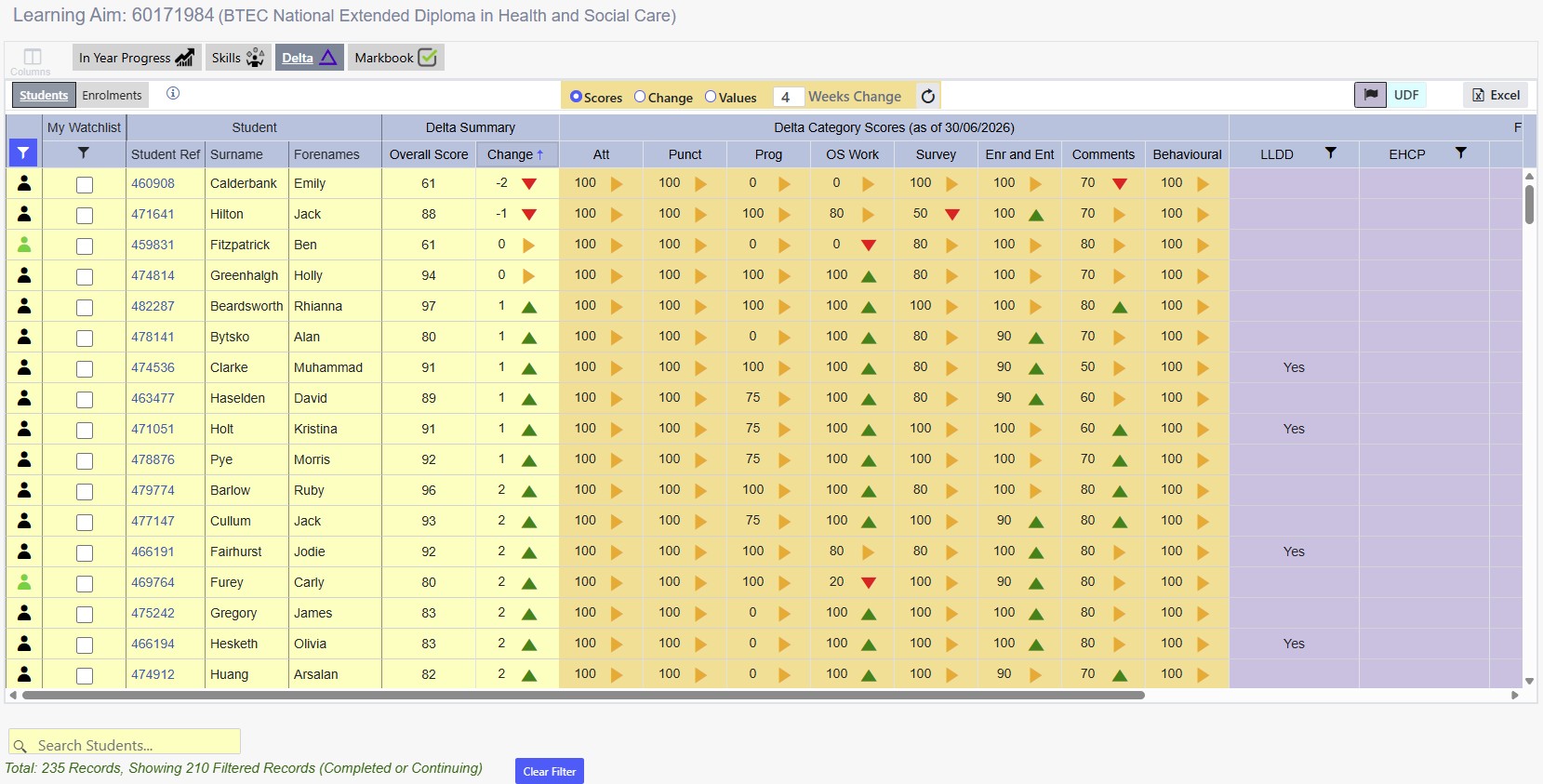
| The last few months have seen a significant increase in the use of this powerful module within OneGrade. DELTA enables a college to gather a wide range of indicators of student performance and translate them into a score out of 100 for each category, as well as an overall weighted average DELTA score:
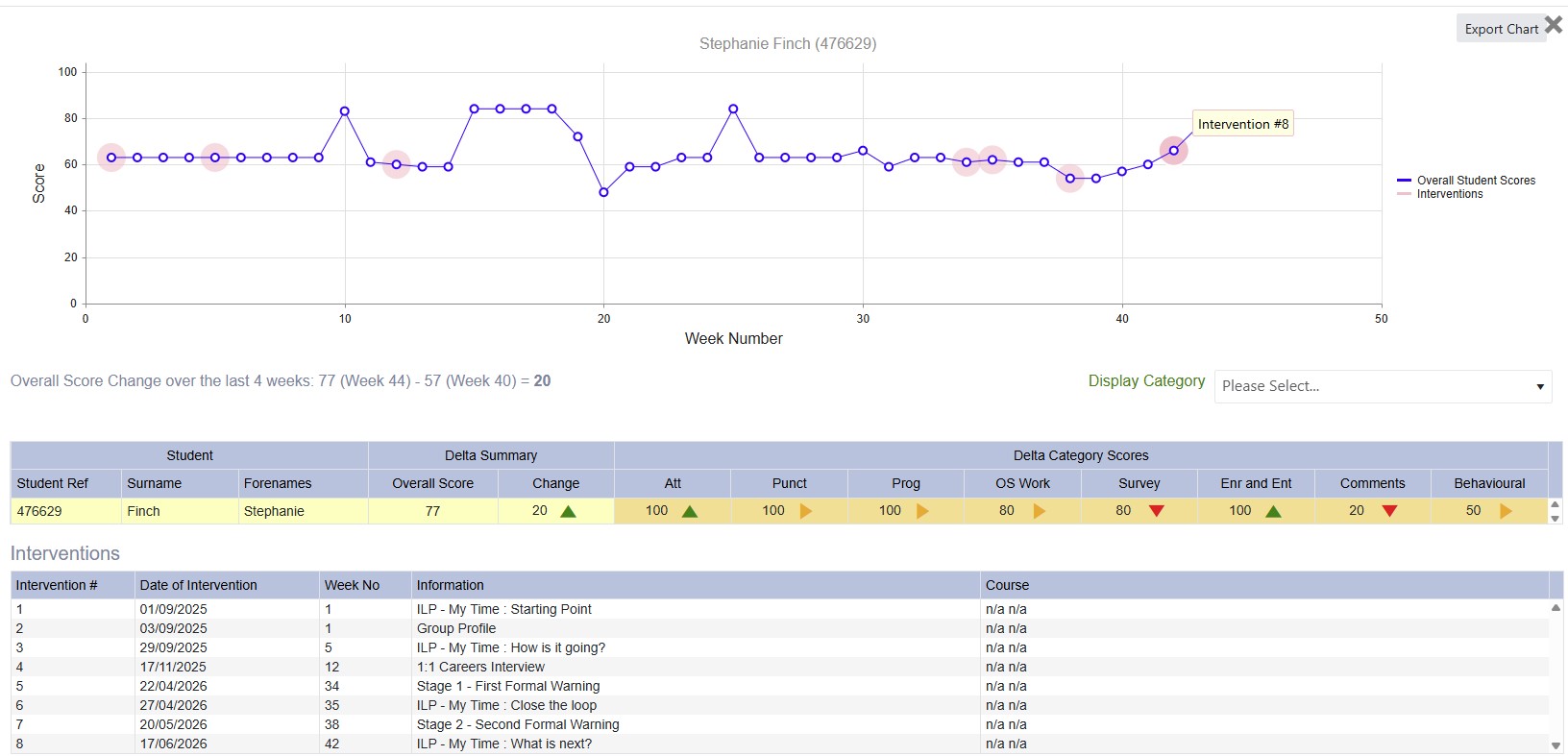
Data is imported each week along with information flags and student interventions, which enable a graph to be generated to show the trend in DELTA scores for each week for any student, and to measure the impact of any interventions:
Students are beginning to engage with the process and we have evidence of them identifying their DELTA score as something that they want to improve. Many colleges are now using DELTA and reporting positive feedback about its use, so please let us know if you’d like more information. |
| The OneGrade Markbook Module |
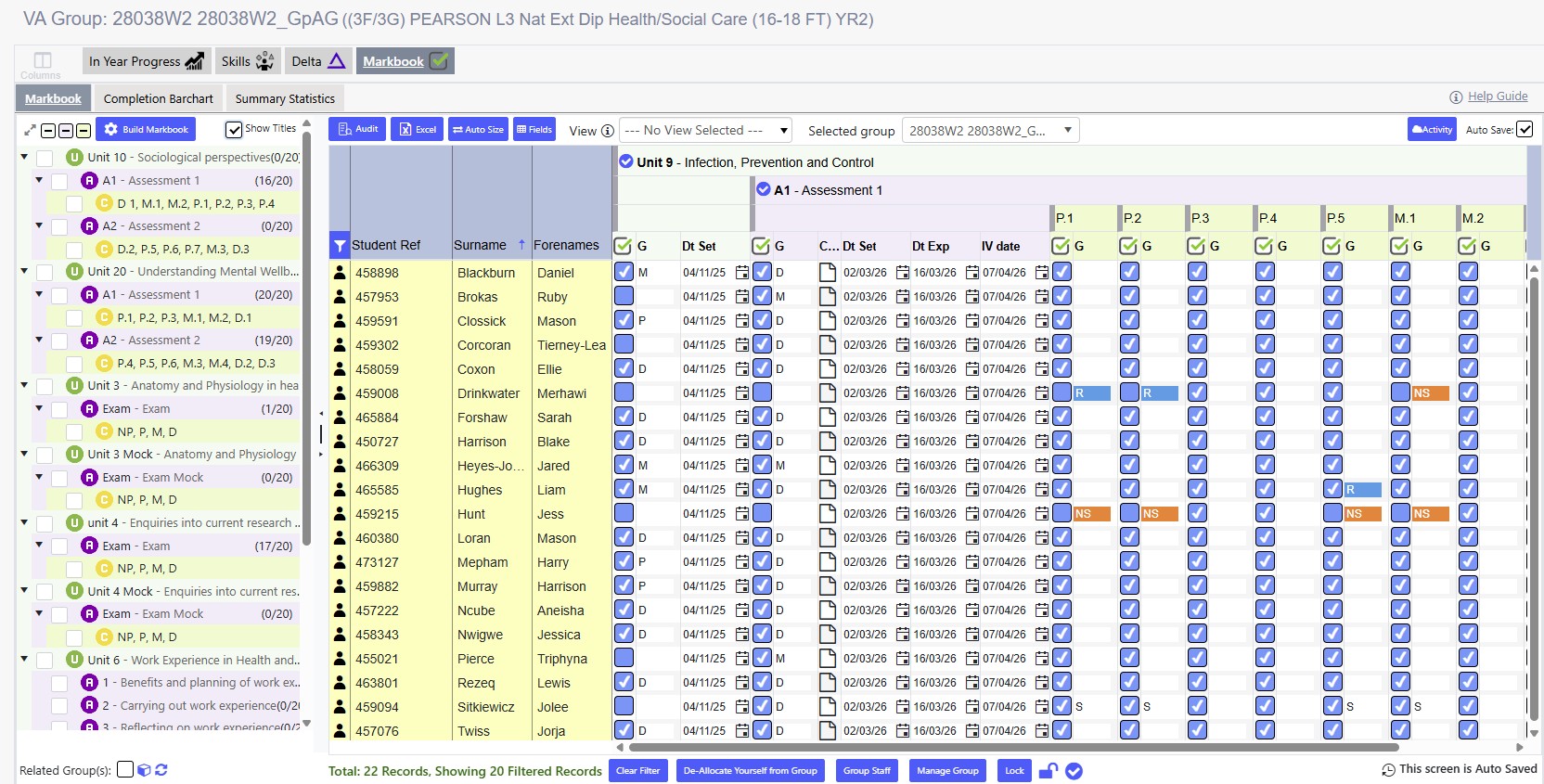
| OneGrade v1.40.0 onwards supports our fantastic new markbook. This is an optional module and all existing OneGrade Plus colleges are invited to try a free trial licence. We’ve managed to produce a clear and simple system which enables you to record marks quickly and efficiently, while also providing very powerful reporting capabilities.
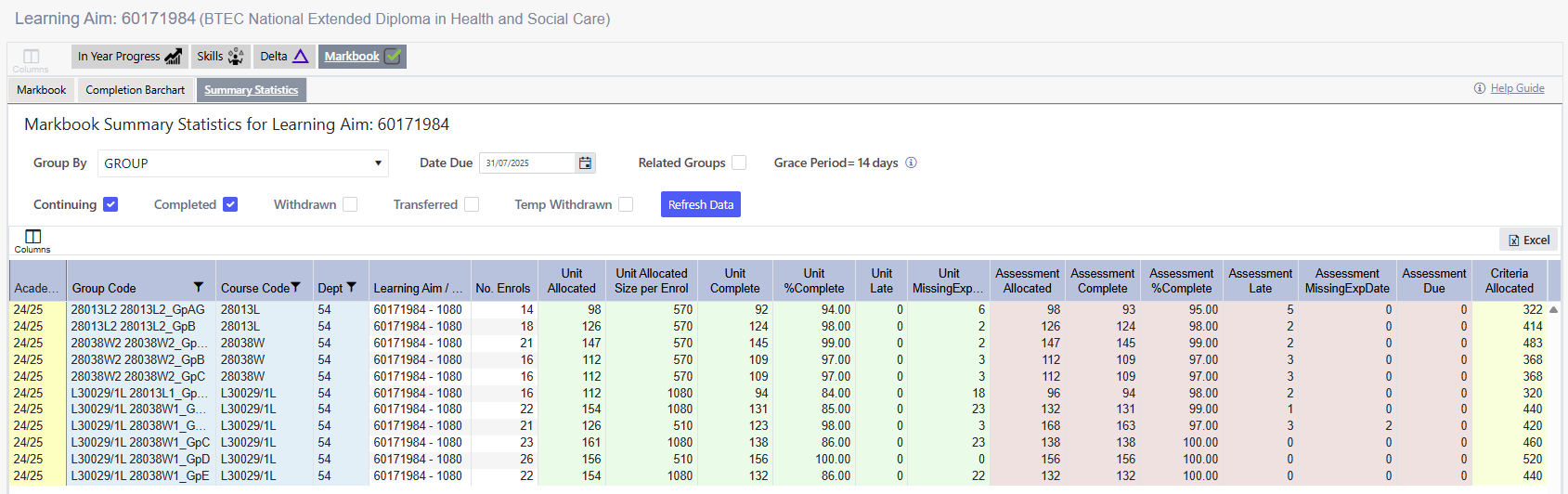
The markbook page seen above (click to enlarge) can be accessed via a single click from the corresponding ProMonitor group page. Existing markbook structures and data can be imported straight over and the whole course can be marked from a single screen as shown in the image above. Data for teachers and managers is then instantly available at group, course, department and whole college level in the Summary Statistics tab as seen in the example below:
Click these links to view the user guides and full information on the new OneGrade Markbook: Please get in touch for further information, a full demonstration, or to request your free trial. Finally as always, we’d like to thank you all for your ongoing feedback and support, which is invaluable in helping us produce effective systems. Please get in touch with any questions or if you’d like a free trial licence key for any of our product modules. |
|

Software – Consultancy – Training 07904 082178 You have received this email because you are a primary contact for OneGrade at your college. Please contact us to add / remove contact(s). |